
Ranking
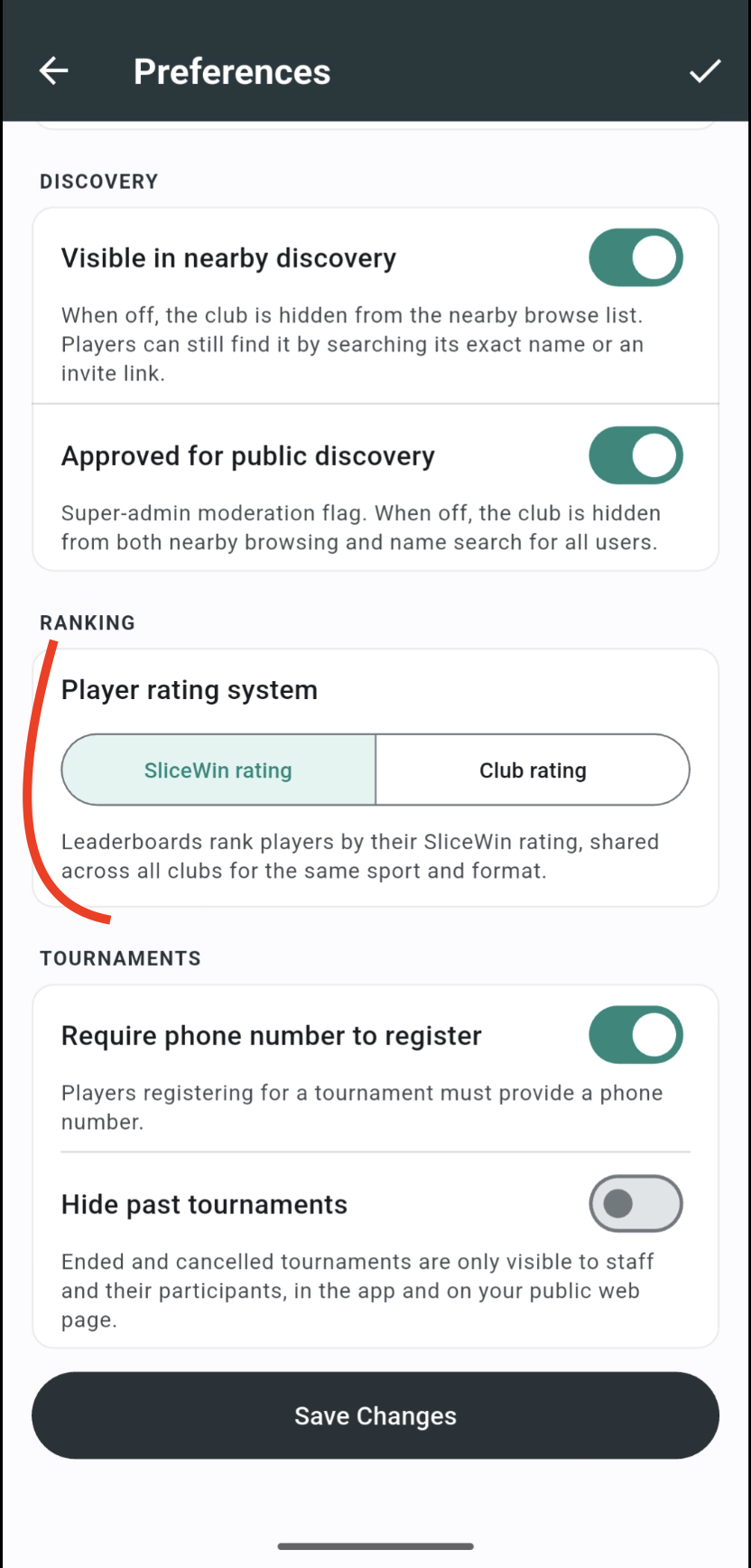
Every club and community on SliceWin has an Elo leaderboard that updates automatically as matches are played. You choose whether that leaderboard uses a Club rating — only matches played in this club — or the SliceWin rating, which also counts matches played in any other club or community for the same sport and format.
Each club or community maintains its own leaderboards:
- One ranking per sport — if you offer padel and tennis, each activity has its own list.
- Separate singles and doubles ratings — a strong singles player and a strong doubles player are not always the same person. When your club supports both formats, SliceWin keeps independent Elo scores for each.
The leaderboard itself stays inside your club or community. It lists your members. What changes is which rating those members are sorted by.
Club rating or SliceWin rating
Two modes are available:
- Club rating — a private ranking for this club or community. Only matches played here move a player's Club rating. A member who also competes elsewhere keeps a separate Club rating in each place.
- SliceWin rating — a shared ranking for the same sport and format across SliceWin. A padel doubles match at another club counts toward the same SliceWin rating that your leaderboard shows.
Owners and admins can switch this setting at any time. Both ratings are always kept up to date in the background, so changing mode does not wipe anyone's history. The leaderboard simply starts ranking by the other number.
How to get there: Open your club or community → Club settings (gear icon, or Manage → Club settings) → Preferences → Ranking → Player rating system
Pick SliceWin rating or Club rating, then Save Changes.
Manual Elo and K factor
Club rating is the only mode where staff can tune the numbers by hand:
- Long-press a player on the leaderboard to set their Elo — useful when you import an existing group and already know their levels.
- Change the K factor in ranking settings to make each match move ratings more or less.
SliceWin ratings cannot be changed manually. They use the same Elo formula for every player, with a fixed K factor, so a 1,120 in one club means the same as a 1,120 everywhere else.
What counts toward your ranking
Your Elo rating moves when competitive matches are recorded:
- Tournament matches — every game from a competitive tournament updates the ranking. Matches from friendly tournaments do not.
- Casual matches — results reported outside tournaments count too, as long as they are validated like any other match.
With Club rating, only those matches played in this club count. With SliceWin rating, the same kinds of matches count wherever they were played, as long as they are the same sport and format (for example padel doubles).
Guests do not appear on the main club ranking. See Add players for how roles affect visibility.
What is Elo?
Elo is a rating system that estimates relative skill based on who you play and whether you win or lose. It was originally developed for chess and is widely used in competitive games today.
Unlike a simple win/loss record, Elo rewards meaningful results:
- Beating a higher-rated opponent gives you a bigger boost.
- Losing to a lower-rated opponent costs you more points.
Match length also matters. A match played to three winning sets counts more than a match played to two winning sets, which counts more than a one-set match.
Americano / Open Play and Mexicano / Swiss matches count half as much as other matches. Those games are usually shorter and played as a single set.
Over time, ratings converge toward each player's true level. The leaderboard stays fair even when players face different opponents at different skill levels.
Want a deeper dive? See our Elo ranking system overview.
Open the ranking
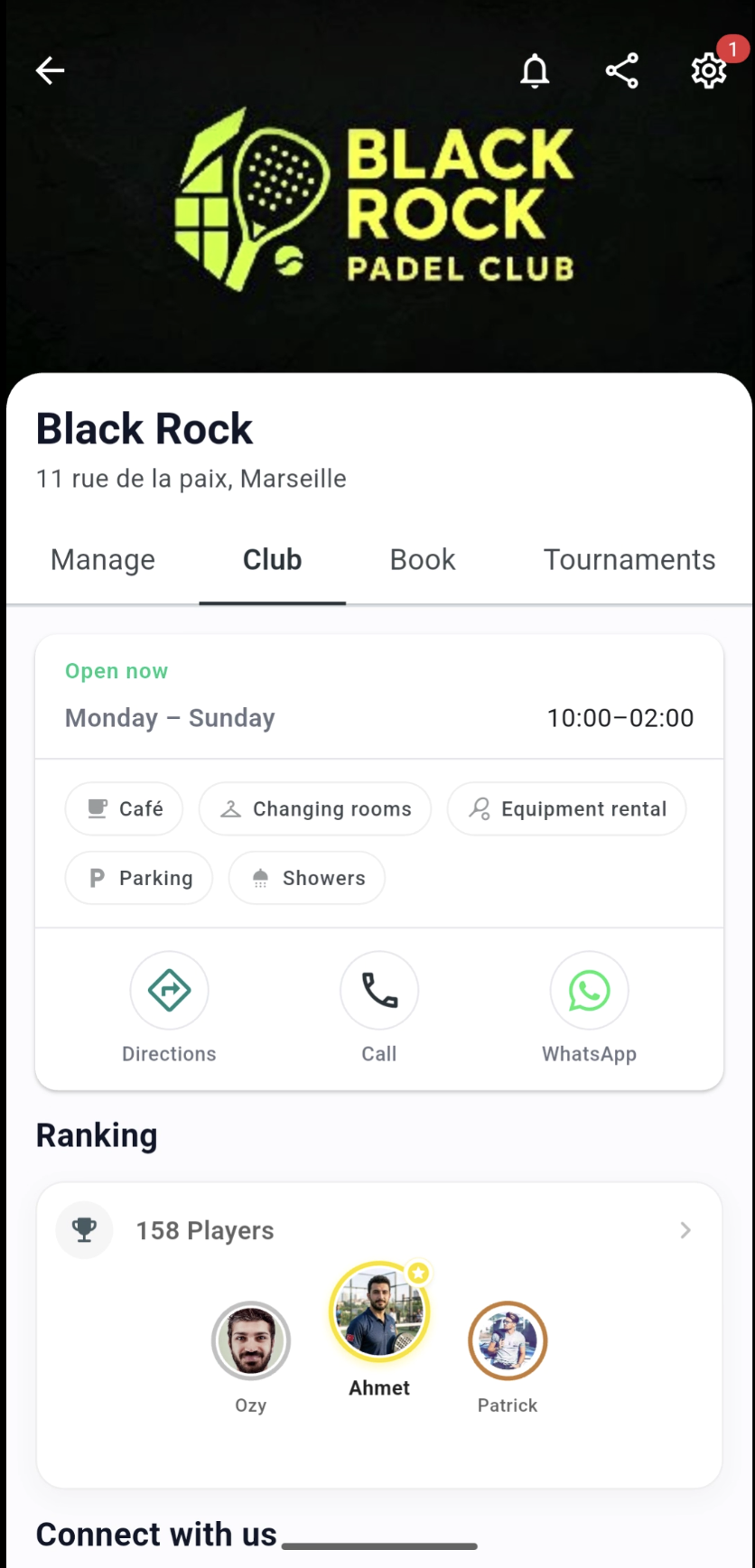
How to get there: Open your club or community → Club tab → tap the Ranking card
The leaderboard shows players sorted by Elo, with wins, losses, and ties for context.
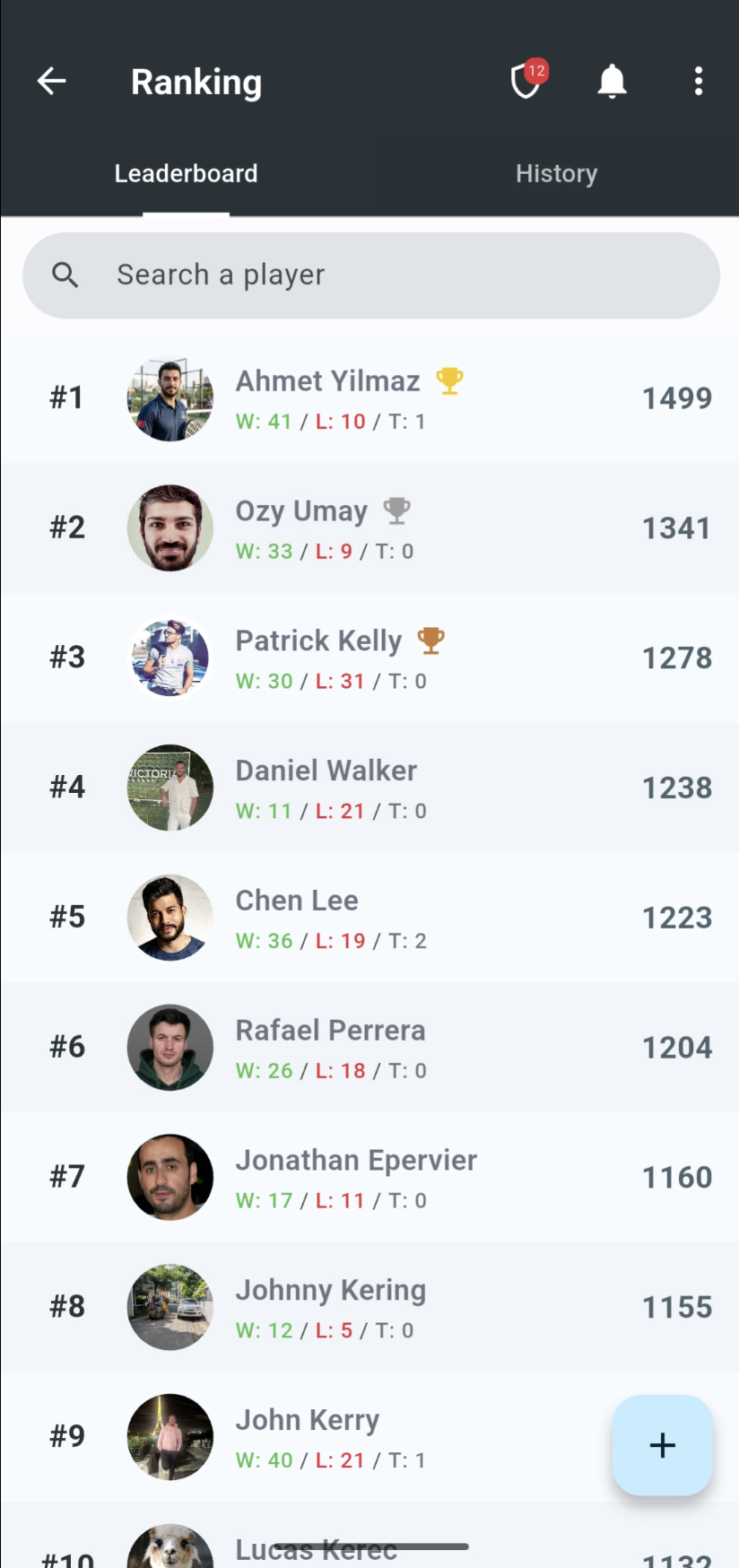
Every player starts at 1,000 Elo points. If your club uses Club rating and you already know someone's level — for example when importing an existing group — staff can set their starting rating from the leaderboard. Long-press a player's name, then adjust their Elo. That is not available with SliceWin rating; new players find their level through calibration matches instead.
Use the tabs at the top to switch between Leaderboard and History, and filter by sport or format when your club supports more than one.
Calibration matches
A new player starts at 1,000. That guess is often wrong — they might already be a strong regular, or they might be picking up the sport. If the first few matches moved ratings at the normal pace, it would take a long time to catch up, and established players would lose (or gain) a lot of points against someone whose rating is still a placeholder.
Calibration speeds that up, then steps out of the way.
The first 5 matches in a ranking are calibration matches:
- The new player's own rating moves more than usual, with the strongest effect on match 1 and a smaller boost on each of the next four.
- Results against that new player move everyone else's rating less, because a match against an unproven opponent carries less information.
After 5 matches, calibration ends and every match uses the standard formula.
| Match | How much the new player's rating moves |
|---|---|
| 1st | 2.0× a normal match |
| 2nd | 1.8× |
| 3rd | 1.6× |
| 4th | 1.4× |
| 5th | 1.2× |
| 6th and later | 1.0× — calibrated |
If you play someone who has not finished calibration, your own rating move is reduced. Against a brand-new opponent it is about half a normal match; that damping fades as they play more, and disappears once they have 5 matches.
Club rating counts those 5 matches in this club. A player who is already well ranked elsewhere still calibrates when they join your club, unless you set their starting Elo by hand. SliceWin rating counts the 5 matches across all clubs for that sport and format, so an experienced SliceWin player arriving at your club is usually already calibrated.
Club rating can turn calibration off in the same Preferences → Ranking section. SliceWin rating always uses it.
Examples
Clara's first match against an established player. Clara is new (1,000, 0 matches). Amaury is calibrated at about the same level. She wins 6–4. Without calibration each of them would move about 19 Elo. With calibration, Clara gains about 38 (2×), and Amaury loses about 10 (half), because beating or losing to someone still on 1,000 by default is not a strong signal yet.
Two newcomers play each other. Both get the 2× boost and the 50% damping. Those cancel out, so the match moves ratings like a normal one. Calibration is there to catch up to the rest of the field, not to inflate results between two unknowns.
A strong new player against a higher-rated opponent. Sam starts at 1,000 but is clearly better than that. He beats a 1,300 player on his first match. The upset already swings Elo more than an expected result; calibration roughly doubles Sam's gain, so a handful of matches can move him well off the default 1,000. The higher-rated opponent loses fewer points than they would against a proven 1,000, which protects the existing ladder while Sam is still unproven.
Same person, two clubs. Lea has played dozens of padel doubles matches at Club A. She joins Club B.
- If Club B uses SliceWin rating, her leaderboard number is already her real level. No extra calibration.
- If Club B uses Club rating, she starts at 1,000 in that club (unless staff set her Elo). Her first 5 matches there are calibration matches, even though she is experienced elsewhere.
View a player's match history
Tap any player on the leaderboard to open their full profile and match history — tournament games and casual matches together in one place.
Filter matches played with or played against you to see how you perform head-to-head with that player over time.
How Elo points are calculated
The number of points won or lost after each match depends on several factors:
| Factor | Effect |
|---|---|
| Rating difference | Upsets (beating a higher-rated opponent) swing the rating more than expected wins or losses. |
| Match length | A match to three winning sets counts more than a match to two winning sets, which counts more than a one-set match. |
| Tournament format | Americano / Open Play and Mexicano / Swiss matches count half as much as other matches, because they are usually shorter and played as a single set. |
| Score margin | A dominant win has a larger impact than a close one. A tight 7–6 result moves the needle less than a one-sided scoreline. |
| Calibration | A player's first 5 matches move their own rating more, and move opponents' ratings less. See Calibration matches. |
In doubles, SliceWin uses the combined strength of each team to calculate the expected outcome, then adjusts each player's individual rating based on the result.
Tip: a ranking for a specific period
Want a temporary Elo view that reflects only matches from a certain window — a season, a month, a summer league?
Create a Flexible tournament in league mode, set Elo as the ranking method, and define your start and end dates. Report matches inside that league as players schedule them.
Those matches update the overall ranking (Club or SliceWin, depending on your setting) and also build a period-specific standing inside the league — useful when you want a time-bound leaderboard without losing your main Elo history.
Need help?
Questions about rankings, match validation, or setting up a competitive league? Contact us — we'll help you configure it.
Last updated: September 2026