
Collect a registration fee
When you add a registration fee, players see the amount in the app. You then choose how to collect it.
How to get there: Create or edit a tournament → Registration → Paid → Payment collection
In-app payment and in-app deposit are available on Pro. They also require a payment provider under Club settings → Payments.
Choosing a collection mode
You can collect the fee in one of three ways.
| Mode | What happens | Best for |
|---|---|---|
| External payment | Players see the fee. You collect it outside SliceWin. | Cash, bank transfer, or your existing till |
| In-app payment | The full fee is authorized on the player's card, then charged after the tournament starts. | Collecting in advance and reducing no-shows |
| In-app deposit | A temporary hold secures the player's place. It is released after the tournament starts, unless they no-show or cancel late. | A no-show guarantee with little or no Stripe fees |
External payment
With external payment, the fee is collected outside SliceWin. Players still see the amount so they know what they owe. No card charge happens in the app.
Use this if you already take cash at the desk, bank transfers, or another payment tool.
You can still mark players as paid in the lobby.
In-app payment
In-app payment collects the full registration fee on the player's card through your Stripe (or Iyzico) account.
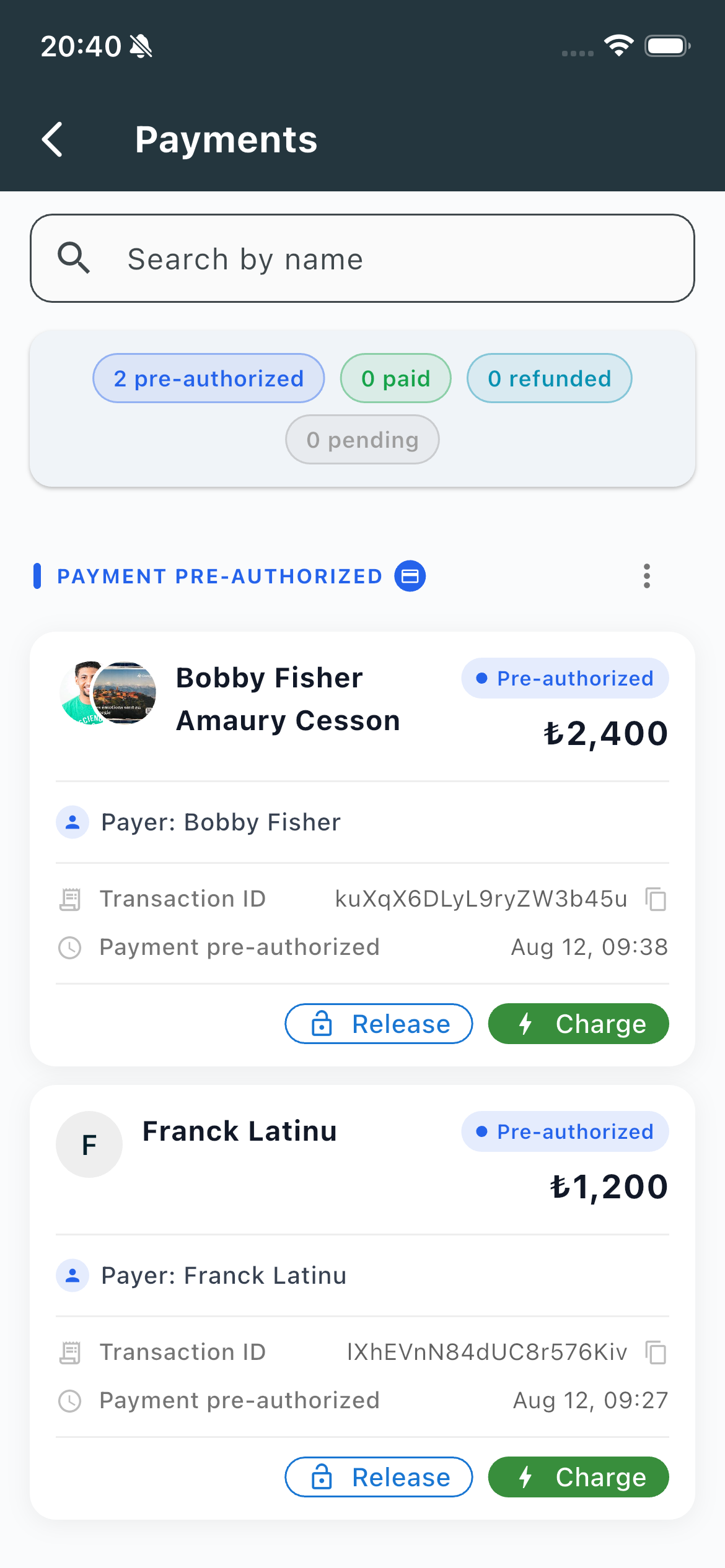
You get a live list of who is pre-authorized, paid, refunded, or still pending. Search by name, then Charge or Release a payment when you need to.
Collecting the fee in the app ahead of time is the simplest way to reduce no-shows and late cancellations.
This also keeps Stripe fees down:
- The card is pre-authorized before the tournament
- The fee is charged only after the tournament starts
- If you cancel or refund before that charge, there is no Stripe fee for the player or the organizer
In-app deposit
In-app deposit is for clubs that collect the registration fee outside SliceWin, but still want a card guarantee against no-shows.
A temporary deposit is held on the player's card to secure their place. After the tournament starts, the hold is released — unless the player no-shows or cancels after your free-cancellation window.
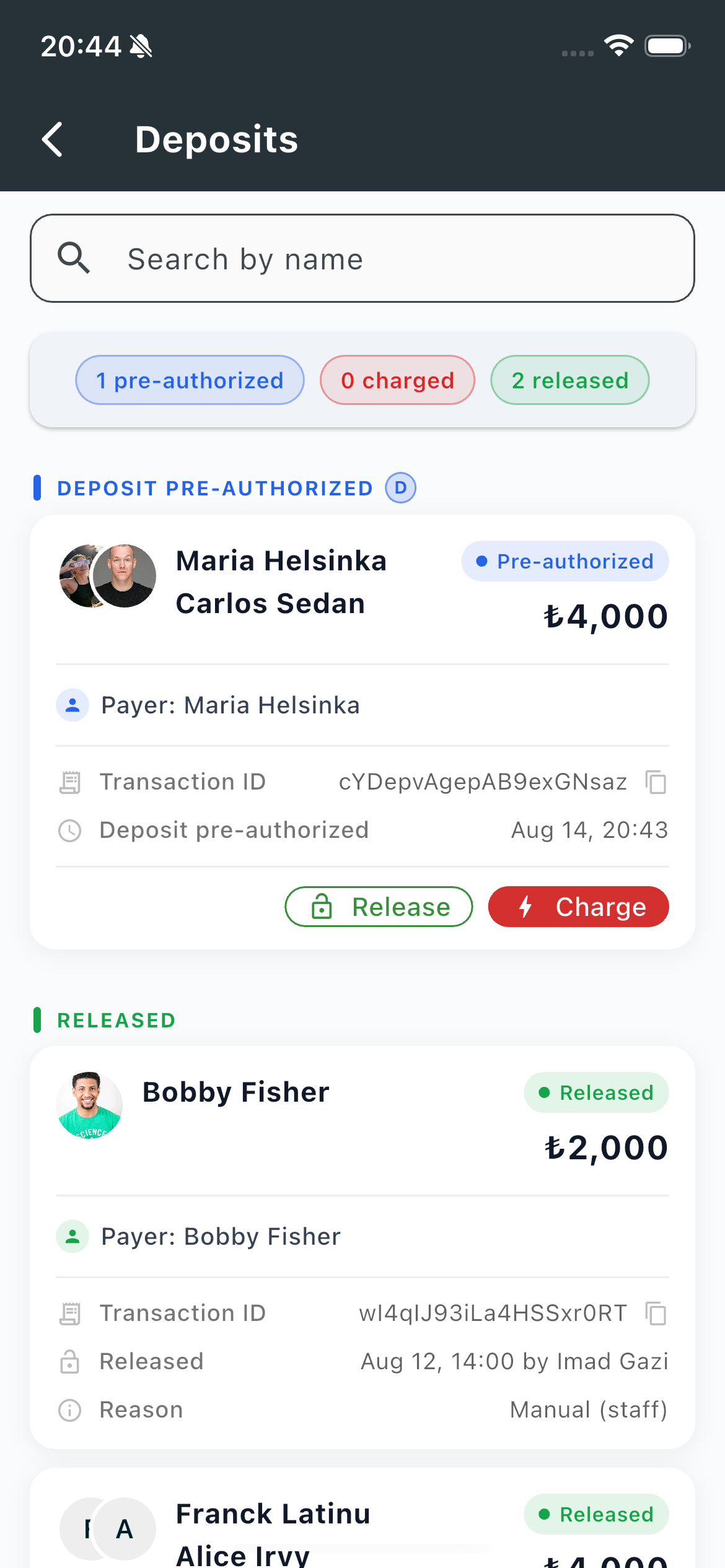
You set the free-cancellation window when you create the tournament.
For players who show up, the deposit is released and the payment provider charges nothing. Stripe (or Iyzico) fees apply only when you charge a deposit.
That keeps provider fees close to zero while still giving you a guarantee.
Connect your payment provider
In-app payment and deposit go through your Stripe account.
How to get there:
Club settings → Payments
Paste your Stripe API keys (publishable key and secret key). The webhook is configured automatically from the secret key — no extra Stripe setup.
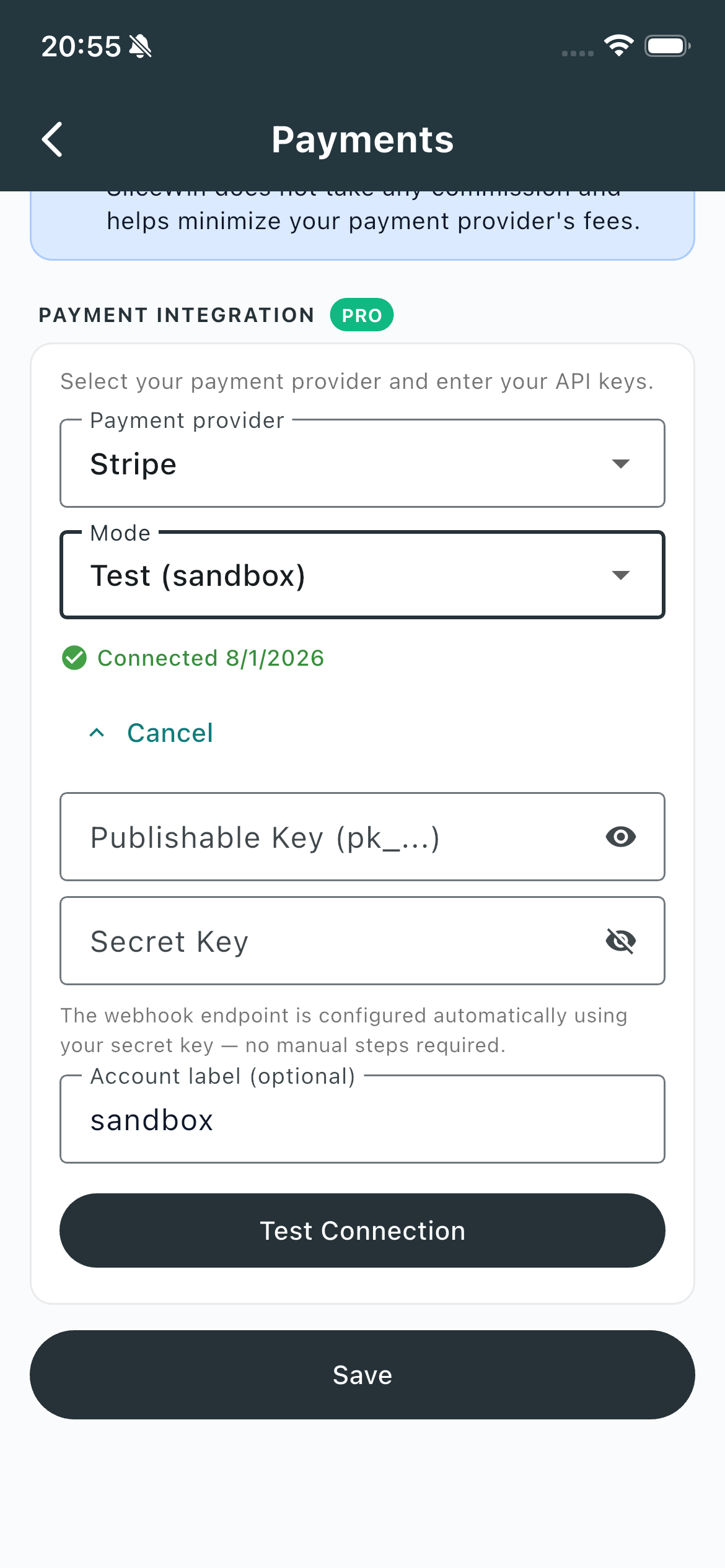
The same screen works with Iyzico for clubs in Turkey.
Need another provider? Contact us and we can add it.
Need help?
Questions about registration fees or connecting Stripe? Contact us — we'll help you choose the right collection mode.
Last updated: August 2026