
Link accounts
If you created a player manually and they install SliceWin later, you can link their account to the profile you already built. Their match history, tournament registrations, court bookings, and ranking move to the real account — nothing is lost.
SliceWin supports two ways to do this:
- Staff merge — you link the manual profile to a registered account from the players list.
- Player claim — when someone joins your club or community, the app may prompt them to claim a matching manual profile. Staff approve or reject the request.
If a player was not prompted — for example, the manual profile was created under a different name — use the staff merge flow.
You'll need: Staff access (Manager, Admin, or Owner) in a club or community where manual players exist.
What gets transferred
When profiles are linked, SliceWin moves everything tied to the manual player:
- Match history and Elo ranking
- Tournament registrations and results
- Court bookings
The manual profile is removed after a successful merge. The registered account becomes the single source of truth.
Merge a profile manually (staff)
Use this when you know which registered account belongs to a manually created player.
How to get there: Open your club or community → Manage → tap the Players card
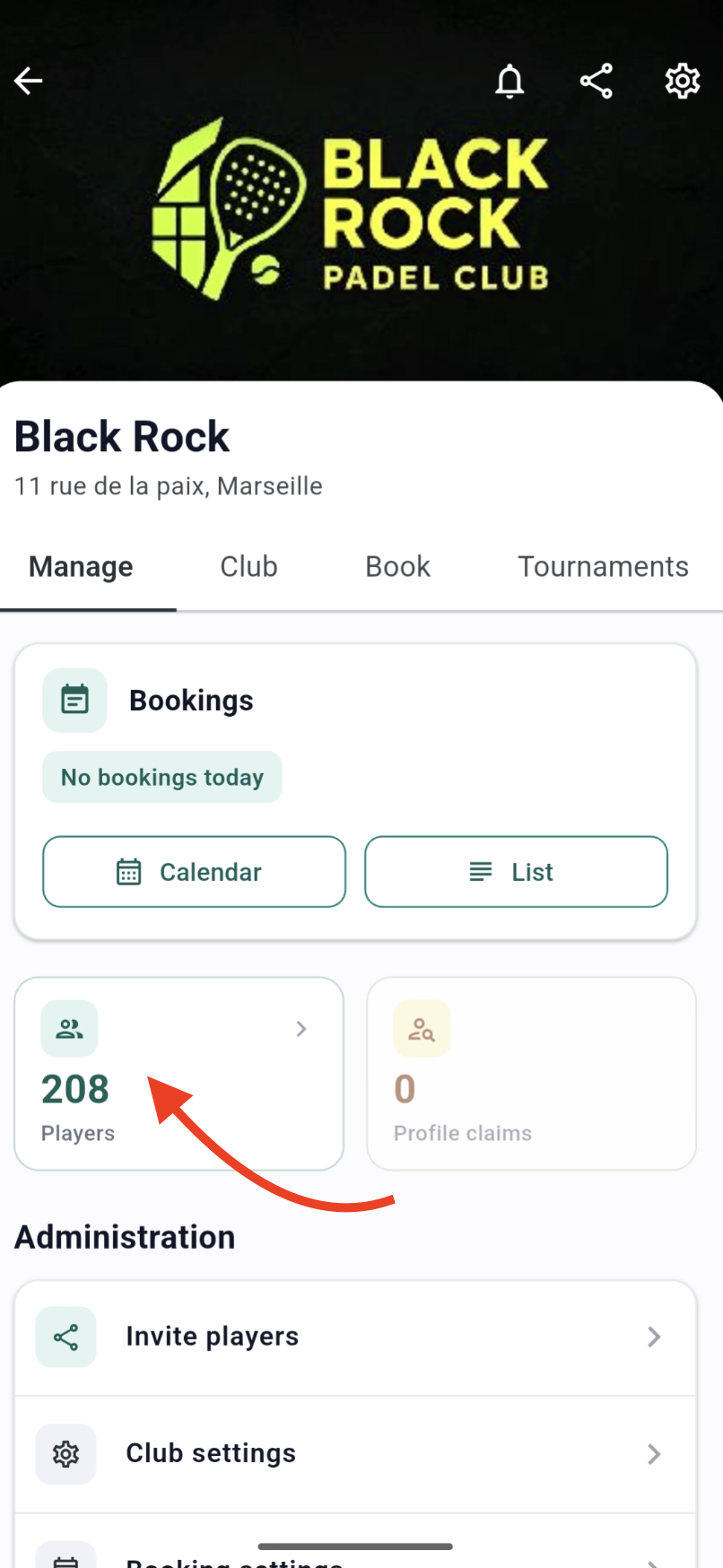
- Open the Club Players list and select the unregistered player you created manually.
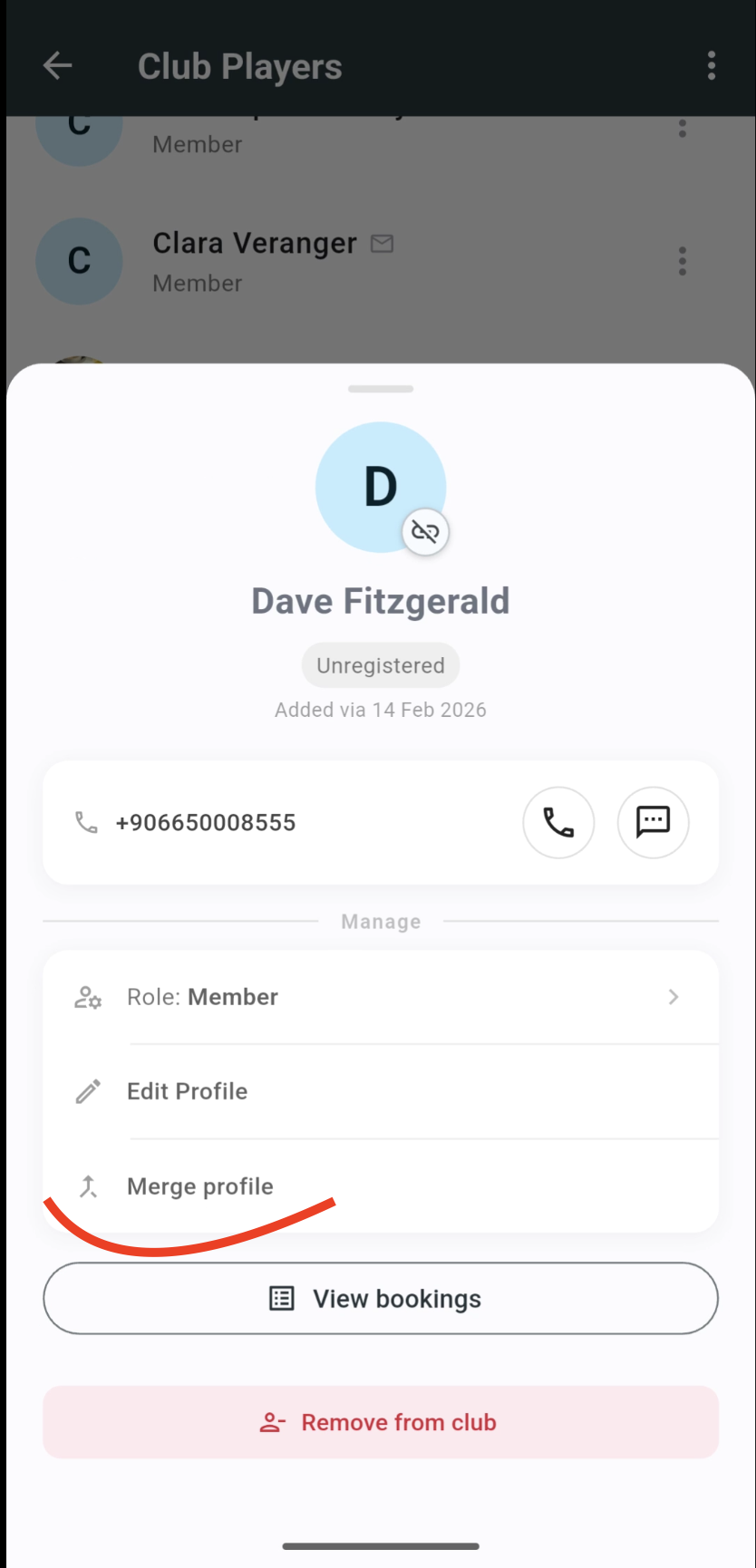
- Tap Merge profile.
- Search for and select the registered member to merge into.
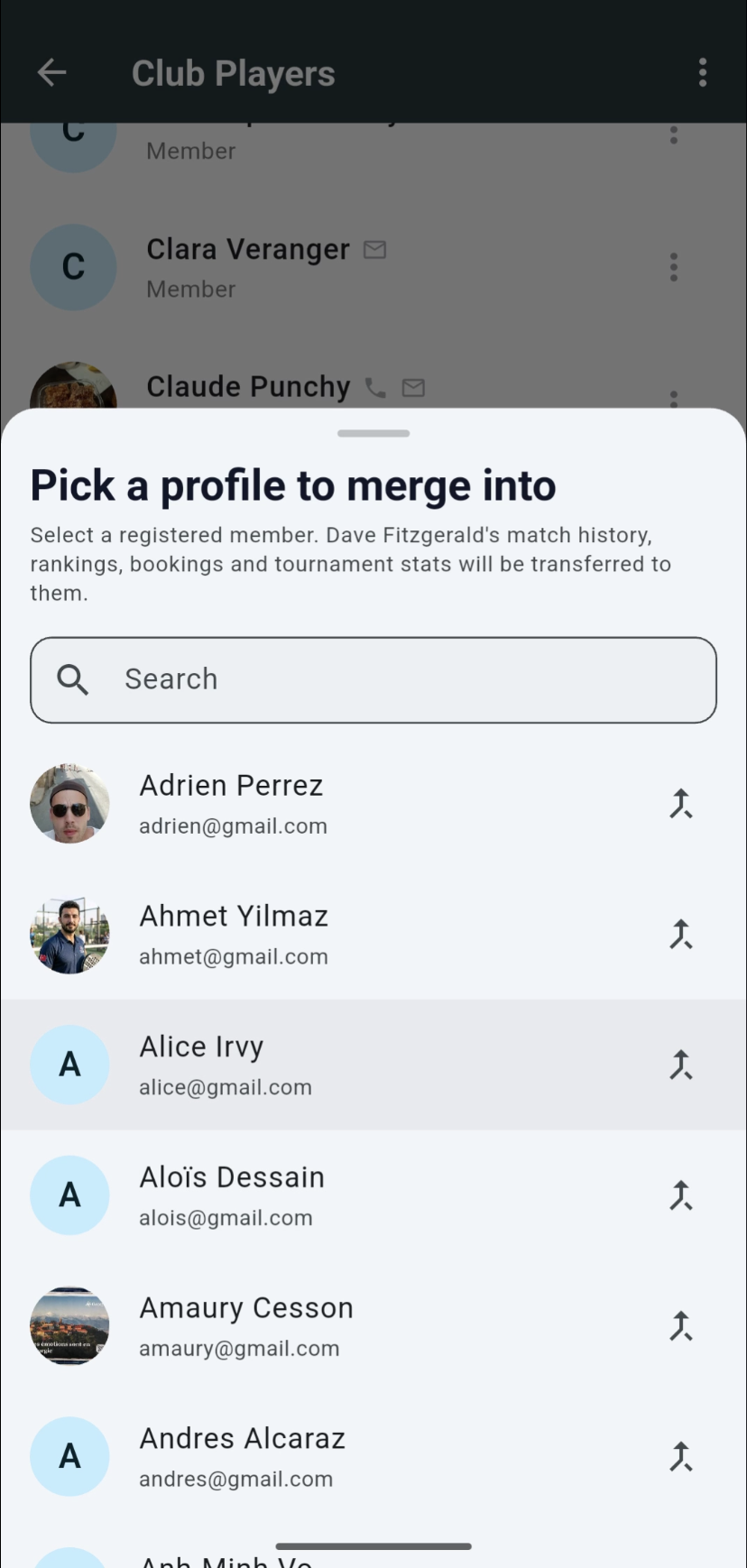
Confirm the merge. The registered account inherits the manual player's full history.
Tip: Only staff can merge profiles. The target account must already be a registered member of your club or community.
When a player joins and claims their profile
When a player joins your club or community through the app, SliceWin checks whether a manually created player with a similar name already exists.
If there is a likely match, the player sees a prompt before they fully join:
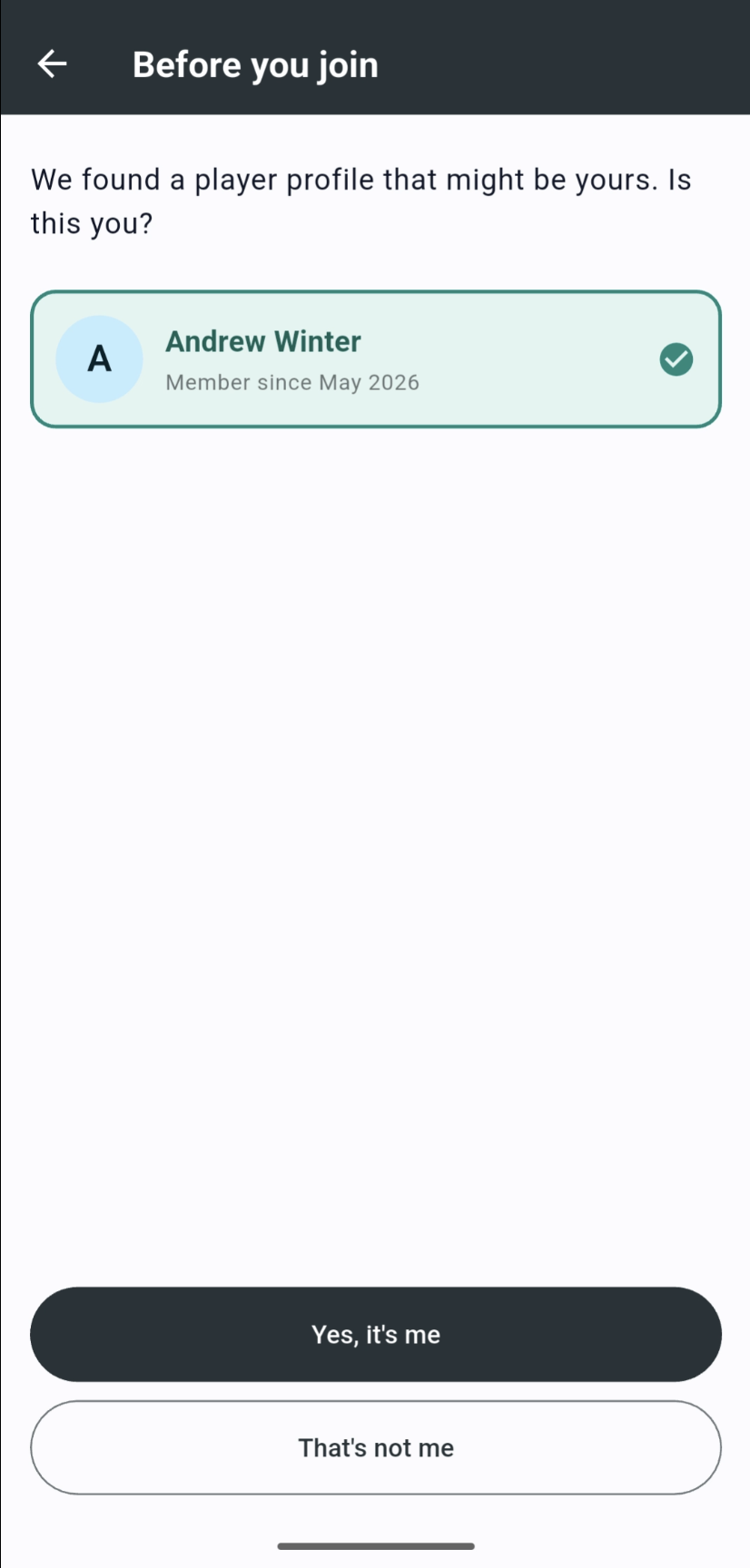
- Yes, it's me — sends a claim request to your staff.
- That's not me — the player joins as a new member with no link.
Review profile claims (staff)
When a player submits a claim, staff receive a notification. You can also review pending claims from the Manage tab.
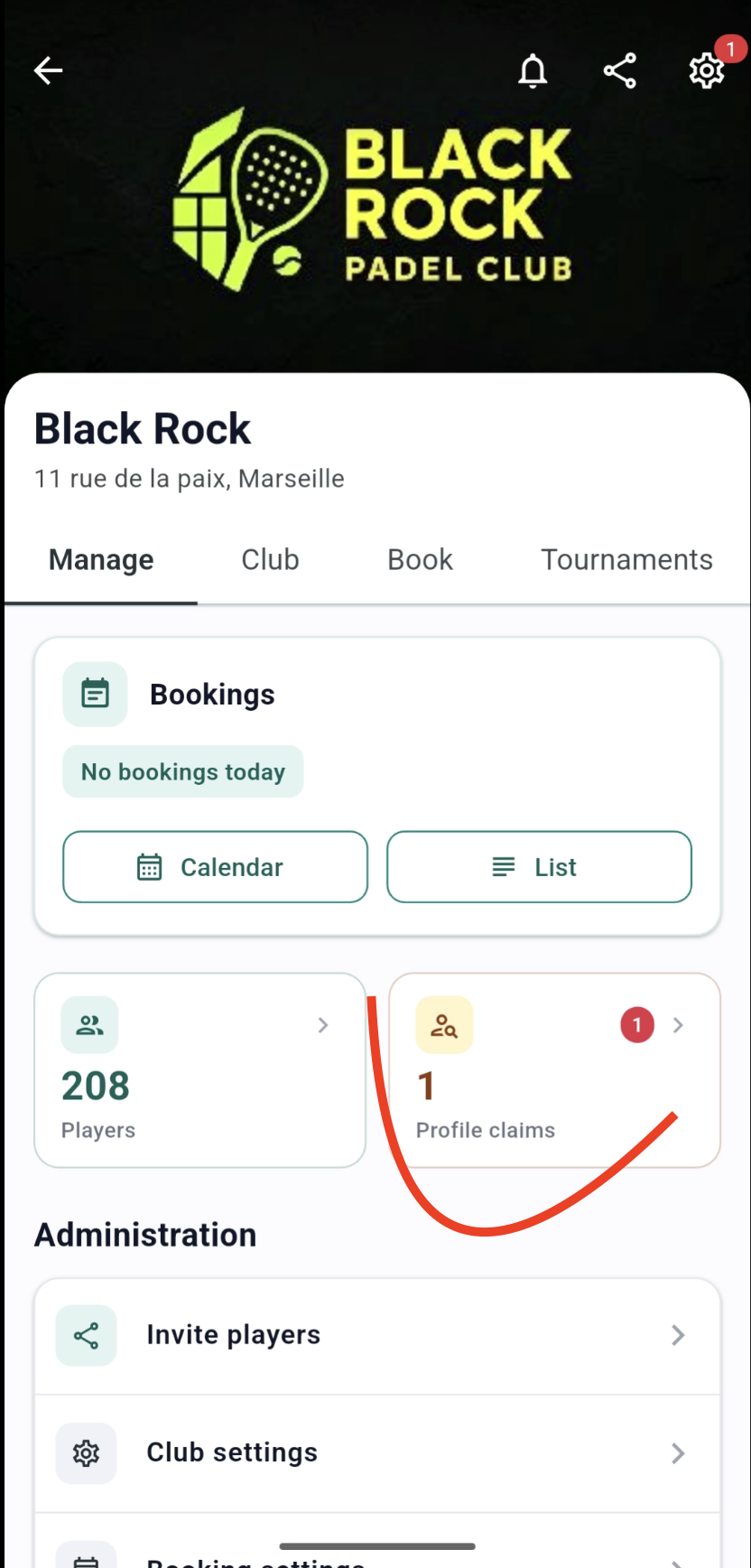
Tap Profile claims to see who is requesting a link and which manual profile they are claiming.
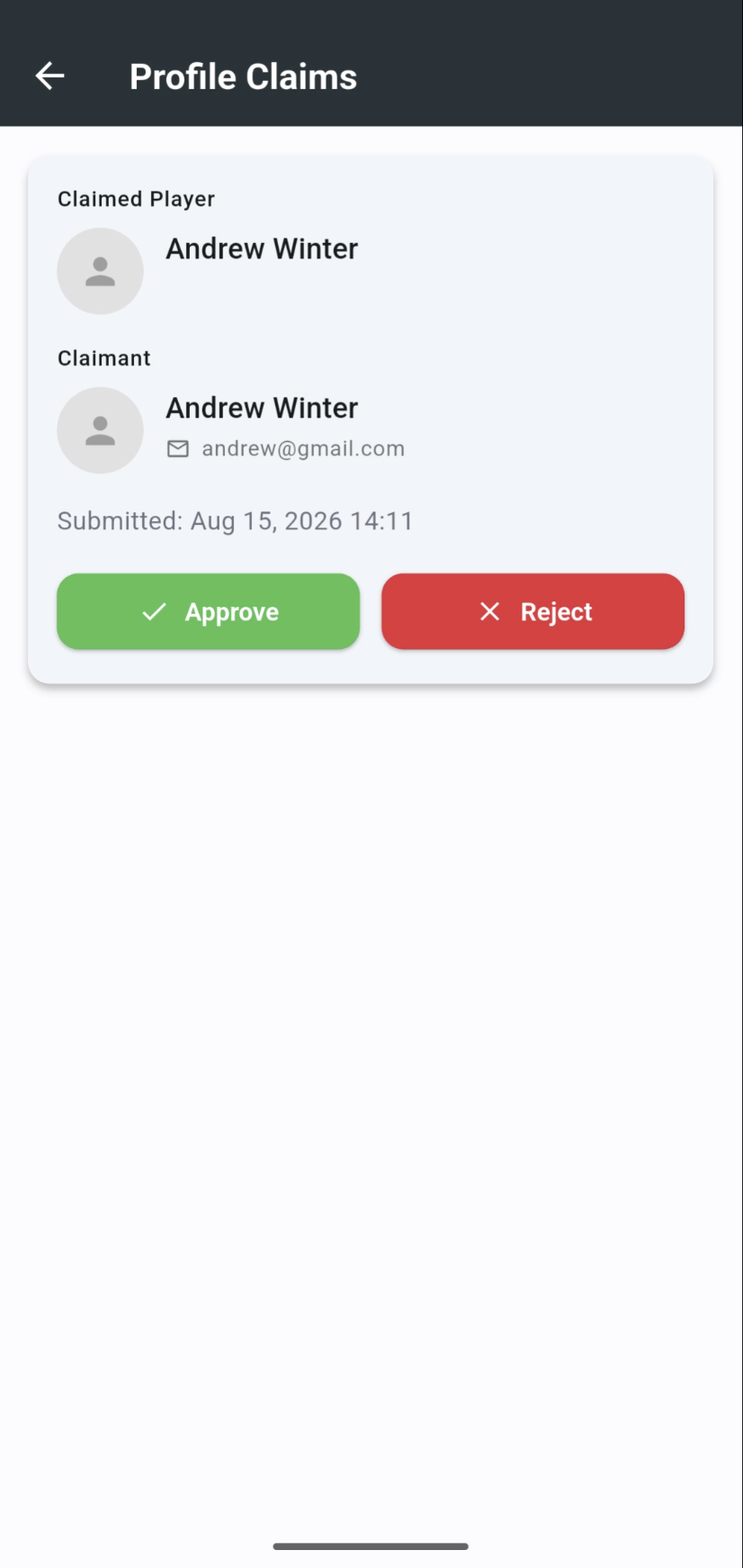
- Approve — merges the manual profile into the player's registered account. Their history transfers immediately.
- Reject — the player stays as a new member. The manual profile remains unchanged.
Review the name and any contact details before approving. If you are unsure, reject the claim and use manual merge once you have confirmed the right account.
When the claim prompt does not appear
The join prompt relies on name matching. It may not trigger if:
- the manual profile was created under a nickname, typo, or different spelling
- the player uses a different name on their SliceWin account
- several manual profiles look similar
In those cases, merge the profiles manually from the players list. The result is the same — the registered account keeps the full history.
Need help?
Questions about linking accounts or a merge that did not go as expected? Contact us — we'll help you sort it out.
Last updated: August 2026