
Create your club
Once you've downloaded the app and created your account, tap Create on the home screen. SliceWin asks what you want to create, then walks you through setup.
Time needed: ~2 minutes
You'll need: The SliceWin app and an account.
Club or community?
SliceWin is for both clubs and communities. Pick the option that fits you best.
- Club — a sports venue with courts. Use this if you run a padel, tennis, or pickleball club and want bookings, tournaments, and player management in one place.
- Community — a group of local players or friends. Use this if you organize games and rankings together but you are not operating a venue. See Create your community.
This article covers club setup.
How to get there: Open the SliceWin app → Create → Club
Set up your club
Fill in the Set up your club screen. SliceWin uses these details to create your venue.
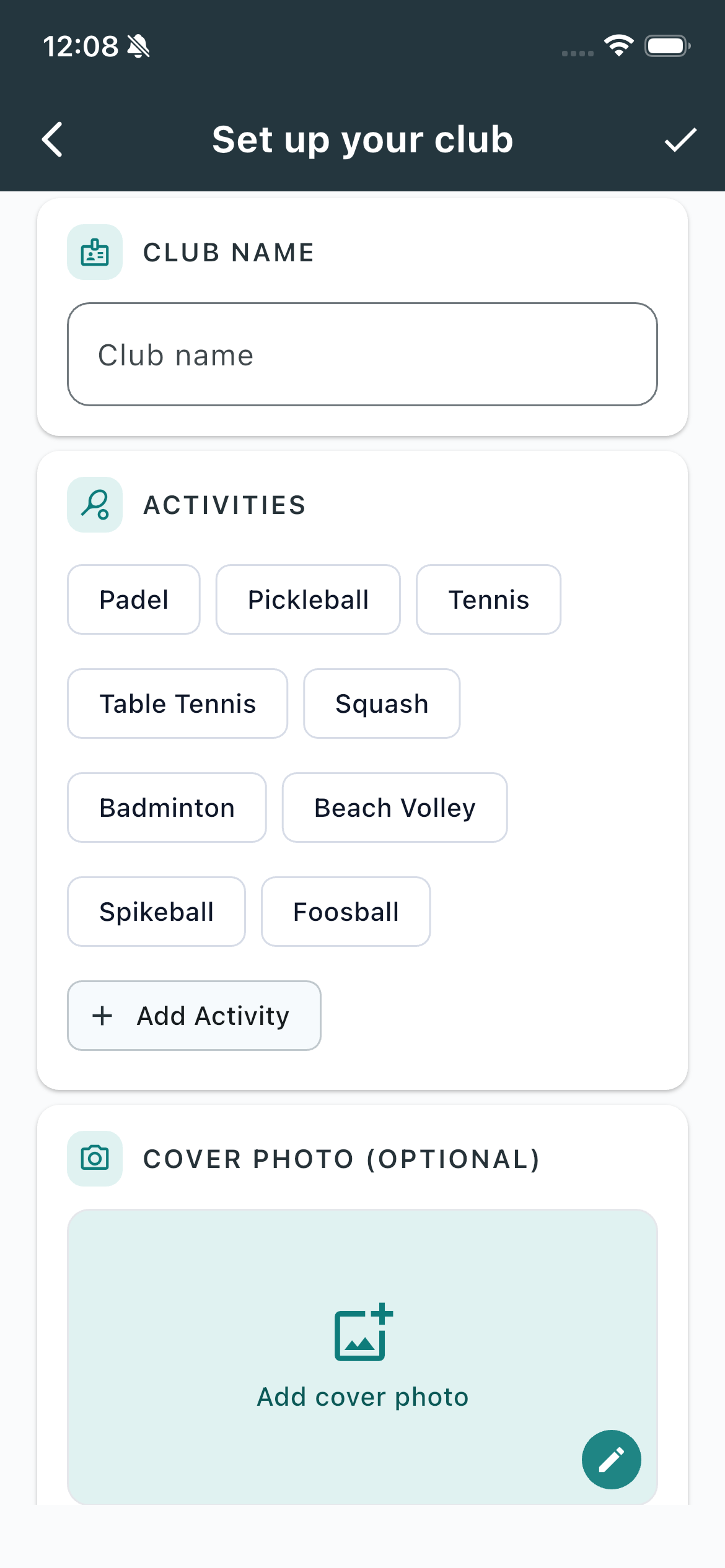
Club name
This is required. Players see it when they search, join, or book. It must be unique and at least 3 characters.
Activities
This is required. Select every sport you offer — Padel, Pickleball, Tennis, Table Tennis, Squash, Badminton, Beach Volley, Spikeball, Foosball — or tap + Add Activity for something custom.
If you pick more than one, set a Primary activity. That's the default sport members see when they open the club.
Cover photo (optional)
Add a cover photo so players recognize your venue. You can skip this and add it later from the profile.
Location
This is required for clubs. Set your address so players can find you.
Court bookings
SliceWin can also manage your club's court bookings. The form asks if you'd like to know more. Tap Yes if you want a follow-up. Tap No if you'd rather set up court bookings yourself later — you can always do that from club settings.
When you're ready, tap the checkmark or Create club.
Get started after you create
Once the club is created, the Manage tab shows a Get started checklist.
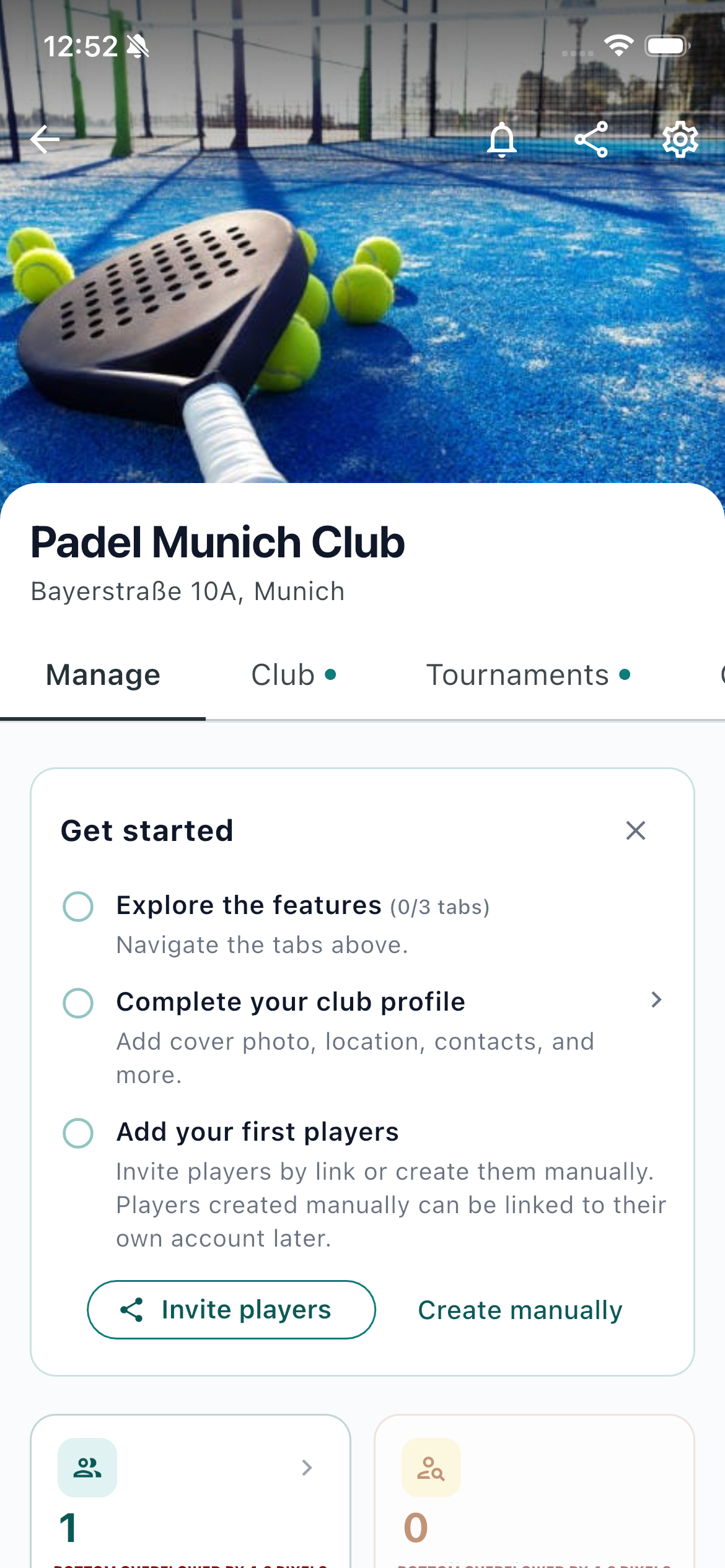
- Explore the features — open the tabs at the top (Club, Tournaments, and any others your club has) to see what SliceWin can do.
- Complete your club profile — add a cover photo, location, contacts, and anything you skipped when you created the club.
- Add your first players — invite them with a link, or tap Create manually. Players you add by hand can be linked to their own account later.
You can close the card anytime. It also disappears on its own once the profile is complete and you've added your first players.
What's next
Your club is ready. Invite or add your first players, then start reporting matches, run tournaments, create open matches, or set up your courts for bookings.
Setting up a player group instead? See Create your community.
Last updated: August 2026